
PIPWISE offers a wide range of funding options, giving users flexible and secure ways to deposit and withdraw funds. You can fund your account via Cryptocurrency, Local Currency (IRR), or USD/EUR cards and manage withdrawals safely.
How to Deposit Your Account?
Step 1: Access the Client Portal and Select “Funds”
Log in to your client portal at:
my.pipwise.com
Click on the “Funds” option (as shown in the image) to proceed to the deposit and withdrawal page.
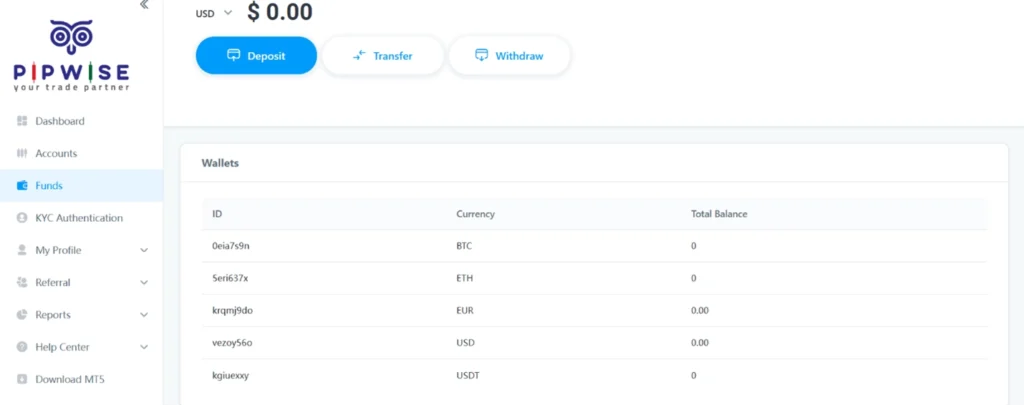
deposite methods in Pipwise
Step 2: Select Deposit and Choose Your Funding Method
Click on Deposit (as shown in the image) to continue to the funding method selection page.
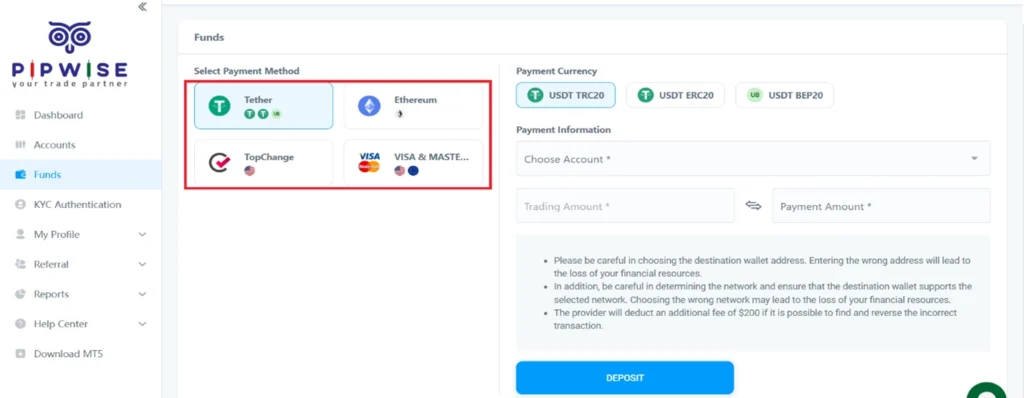
Choose Your Funding Method
Step 3: Choose Your Deposit Method
PIPWISE supports multiple deposit methods:
- USDT (Tether)
- Ethereum (ETH)
- Top Change (IRR Transfer)
- Visa / MasterCard
USDT (Tether) Deposit Guide
- Click on the USDT option (as shown in the image).
- Select your preferred network.
- Choose the trading account to fund.
- Enter the deposit amount.
- Click on Deposit.
- A wallet address will be displayed. Copy it and complete your transfer.
Important Notes:
- Use the same network you selected when sending funds.
- Wallet addresses are dynamic; repeat the steps for each deposit.
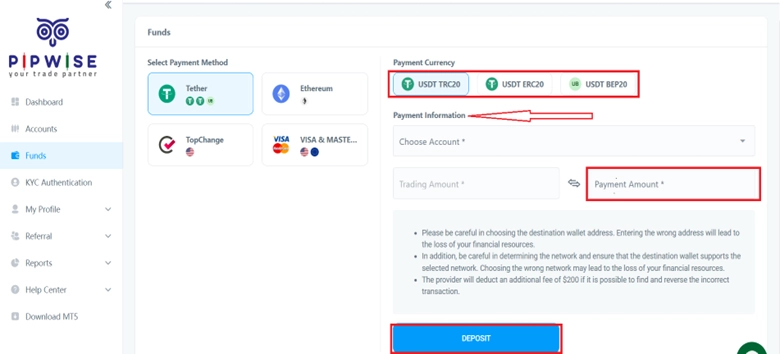
Choose Your Deposit Method
Ethereum (ETH) Deposit Guide
- Select Ethereum as your deposit method (as shown in the image).
- Enter your account details and deposit amount.
- Click Deposit.
- Copy the displayed wallet address and complete your ETH transfer.
Important: Only Ethereum (ETH) should be sent to this wallet.
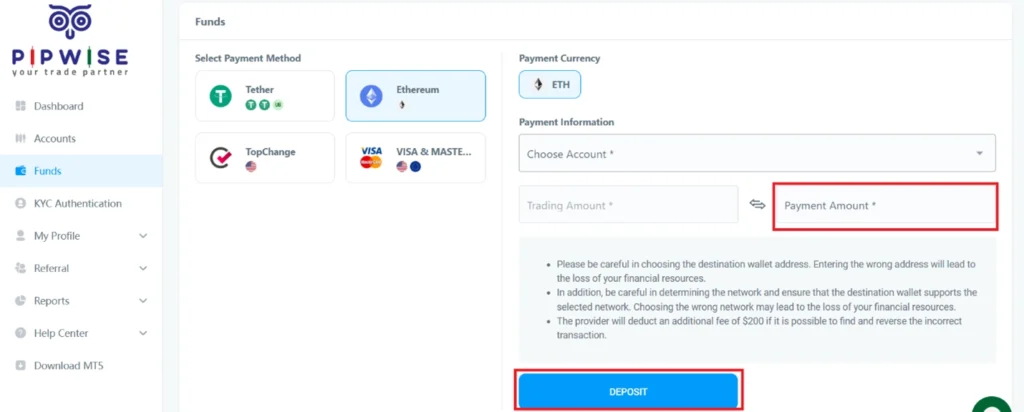
Ethereum Deposit Guide
Top Change (Local IRR Deposit) Guide
- Register an account on the Top Change
- Log in to the PIPWISE Client Portal and go to the Fund
- Click Deposit (as shown in the image) and select Top Change.
- Choose your account and deposit amount, then click Deposit.
- You will be redirected to Top Change — log in and finalize your payment.
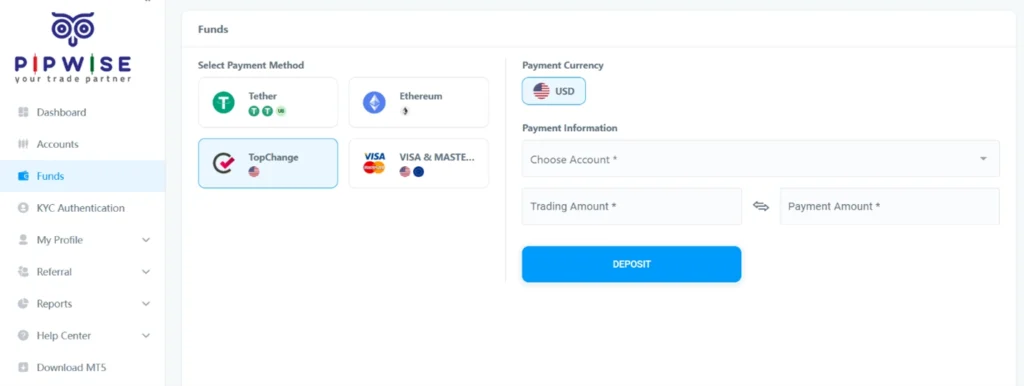
Top Change (Local IRR Deposit) Guide
Visa & MasterCard Deposit Guide
- Click “Visa & MasterCard” (as shown in the image).
- Select your account and enter the deposit amount.
- Click Deposit.
- Enter your card details and complete the payment.
Notes:
- Ensure your card supports international online payments.
- Deposits are usually processed instantly; processing times may vary.
- Bank or gateway fees may apply.
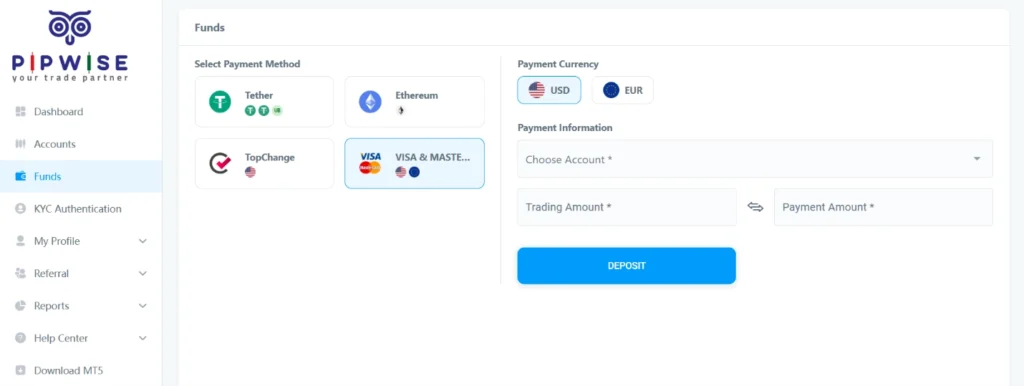
Visa & MasterCard Deposit Guide
How to Withdrawal?
Step 1: Transfer Funds from Trading Account to Wallet
To initiate a withdrawal, first transfer funds from your Trading Account to your Wallet:
- Log in at pipwise.com.
- Navigate to the Fund page and click Transfer (as shown in the image)
- Enter the amount and transfer it to your Wallet.
Notes:
- If your account has broker credit, the transfer requires approval.
- If no credit exists, the transfer is instant.
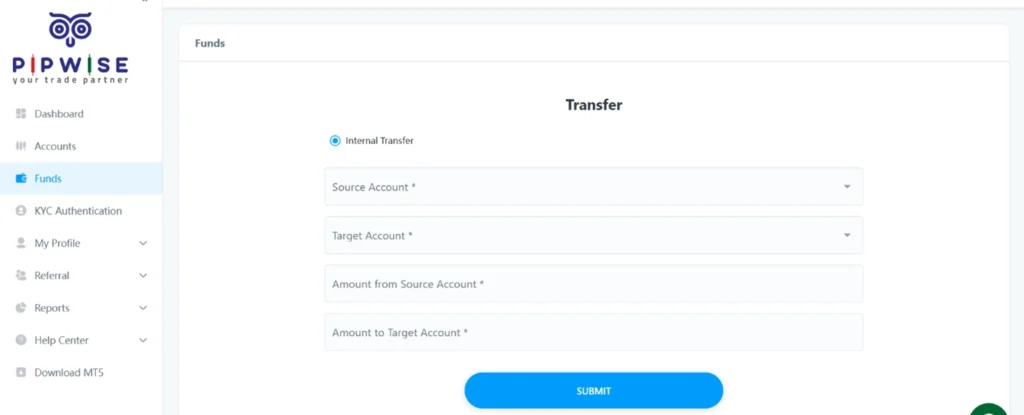
How to Withdrawal?
Step 2: Select Withdraw
After funds are in your Wallet, return to the Fund page and click Withdraw (as shown in the image).
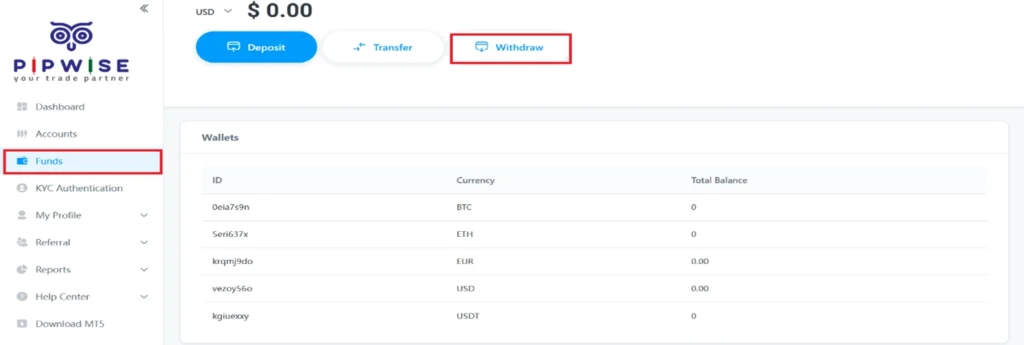
Select Withdraw
Step 3: Complete Withdrawal Information
Fill in the required details for your withdrawal (as shown in the image).
Important:
- The withdrawal method must match your deposit method to avoid delays.
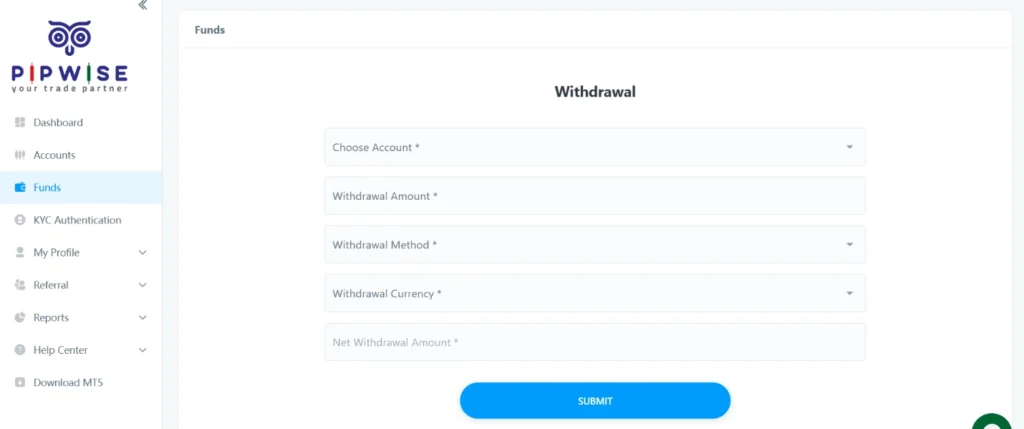
Complete Withdrawal Information
Step 4: Enter Destination Wallet Address
Enter the destination wallet address
Important Notes:
- Withdrawals will be reviewed promptly.
- If the deposit and withdrawal methods or wallet addresses differ, manual approval from support will be required.
- Matching deposit and withdrawal information ensures faster processing.
post comments
Together We Rise: A Campaign for Everyone